

Virtual networking will drive NaaS evolution, and cloud-hosted security options will explode. What’s the single most important thing that enterprises should know about networking in 2023? Forget all the speeds-and-feeds messaging you hear from vendors. The answer is that networking is now, and forever, linked to business applications, and those applications are linked now to the way that we use the Internet and the cloud. We’re changing how we distribute and deliver business value via networking, and so network technology will inevitably change too, and this is a good time to look at what to expect. Growth in Internet dependence First, the Internet is going to get a lot better because it’s going to get a lot more important. It’s not just that the top-end capacities offered will be raised, in many cases above 2 Gbps. Every day, literally, people do more online, and get more interactive, dynamic, interesting, websites to visit and content to consume. Internet availability has been quietly increasing, and in 2023 there will be a significant forward leap there, in large part because people who rely on something get really upset when it’s not working. With “goodness” will come “richness.” [ Get regularly scheduled insights by signing up for Network World newsletters. ] Adobe, which produces software that enriches the user experience online, had a great quarter in large part because the Internet is more important every day. That enrichment isn’t going to stop in 2023. Enterprises will increase their dependence on the Internet, both as a conduit for sales and customer support and, increasingly, as a way for their own workers to access core applications. During COVID, one of the less-reported changes enterprises made was to start using the Internet to support work-from-home requirements. They then figured out that if they supported workers via the Internet, they could take their traffic directly into the data center and bypass VPNs. Thus, the Internet started to erode VPN traffic growth, and that’s going to continue and accelerate in 2023. Pressure to tackle Internet latency The growth in Internet dependence is really what’s been driving the cloud, because high-quality, interactive, user interfaces are critical, and the cloud’s technology is far better for those things, not to mention easier to employ than changing a data center application would be. A lot of cloud interactivity, though, adds to latency and further validates the need for improvement in Internet latency. Interactivity and latency sensitivity tend to drive two cloud impacts that then become network impacts. The first is that as you move interactive components to the cloud via the Internet, you’re creating a new network in and to the cloud that’s paralleling traditional MPLS VPNs. The second is that you’re encouraging cloud hosting to move closer to the edge to reduce application latency. That puts pressure on the network to reduce the latency it contributes, which is one justification for 5G, but also a reason to wring latency out of wireline broadband services. [ Attend Virtual Summit on November 8 – CIO’s Future of Cloud Summit: Mastering Complexity & Digital Innovation – Register Today! ] Virtual networking abounds All this application stuff swirling around the Internet and the cloud makes any fixed network strategy difficult. In fact, if you wanted to name a single trend to characterize 2023, you’d pick “virtual networking becomes networking” as far as users are concerned. In the cloud, in branch locations, and in the data center, the mission of connectivity will shift from the “physical network” to the virtual. Companies’ “networks” will be an overlay on multiple, diverse, physical networks. Applications will connect to virtual networks, and it’s virtual networks that will provide us security and that we’ll manage to assure information access and content delivery. This doesn’t displace MPLS VPNs immediately, but it does necessitate elevating connectivity management above them; think virtual-network-over-MPLS. Since network connectivity is what users see of a network service, this pulls differentiation away from the physical transport elements of the network (think plastic pipes connecting a flashy bathroom to the public mains). That takes a critical step toward converting virtual network technologies into the framework for network-as-a-service, or NaaS. NaaS right now is what I call a UFO; a technology that isn’t going to land in your yard and present itself for inspection, leaving you free to assign whatever features you like to it without fear of contradiction. We’re going to get so many conflicting definitions for “NaaS” that it will sound like a political debate, but in 2023 we can expect to see a gradual firming up. There are a number of possible NaaS models, some little changed from current capabilities and some that decisively merge network and cloud concepts. We’ll come down somewhere in that continuum of models, maybe by the end of the year, and where we land will determine just how effective networks are in improving or work and lives beyond 2023. Cloud-hosted security takes hold What about security? The Internet and cloud combination changes that too. You can’t rely on fixed security devices inside the cloud, so more and more applications will use cloud-hosted instances of security tools. Today, only about 7% of security is handled that way, but that will triple by the end of 2023 as SASE, SSE, and other cloud-hosted security elements explode. We can already see a shift of security focus toward the cloud and also toward broader use of virtual networking that can link those pesky agile cloud elements with workers who are increasingly mobile. Even SD-WAN, which launched as a way to use broadband Internet to replace MPLS in creating VPNs, is now used at least as often as a means of connecting among and to cloud applications. Incumbent vendors have the advantage Who wins in 2023, vendor-wise? The incumbents, where there are established network commitments. The big players, where there are not. Yes, enterprises are looking for alternative network strategies, but they’d really like to see those coming from some giant that they can trust, preferably one they already use. Since

TECH Microsoft drops after UBS analysts warn of weakness in the cloud
Microsoft drops after UBS analysts warn of weakness in the cloud PUBLISHED WED, JAN 4 202312:16 PM EST Ashley Capoot@ASHLEYCAPOOT KEY POINTS Shares of Microsoft dropped during a broader tech rally Wednesday after UBS downgraded the stock to neutral from buy. UBS analyst Karl Keirstead said the latest round of field checks into the business lowered the bank’s confidence in the stock. Keirstead said Azure is facing “steep growth deceleration.”Microsoft shares sank almost 5% on Wednesday while the broader tech market rallied after analysts at UBS said the software company faces weakness, particularly in the cloud.Analyst Karl Keirstead downgraded Microsoft to neutral from buy, writing that the latest round of field checks into the business lowered the bank’s confidence in the stock. Keirstead pointed to concerns at Azure, Microsoft’s cloud computing platform, and Office 365, the company’s family of productivity software. https://www.cnbc.com/2023/01/04/microsoft-drops-after-ubs-analysts-say-company-faces-cloud-weakness.html

Work from home is here to stay, so how should IT adjust?
Network performance and secure remote access are critical, but don’t sleep on ergonomics, meeting etiquette and data retention By Jeff Vance Network World | JAN 9, 2023 3:00 AM PS The pandemic has changed how we work, probably forever. Most employees with jobs that can be done effectively from home have no intention of returning full time to the office. They find that their work-life balance is much more balanced without the long commutes and constant interruptions that accompany office work. According to a McKinsey/Ipsos survey, 58 percent of American workers had the opportunity to work from home at least one day a week in 2022, while 38 percent were not generally required to be in the office at all. When people were given the chance to work flexibly, 87 percent took it, according to McKinsey. And Gallup projects that about 75% of remote-capable workers will be hybrid or fully remote over the long term. [ https://events.foundryco.com/event-series/cio100-symposium-and-awards/awards/cio-awards-august-2022-2/”> CIO 100 Awards 2023: Call for Nominations Open. Submit Today. ] While the work-from-home (WFH) trend is popular with employees, it stresses other parts of the enterprise, particularly IT teams, who have to adjust networking and security architectures to accommodate ever-more-mobile workforces, increasing investments in cloud computing, and the disappearing corporate perimeter. Policies are the foundation for engineering firm Prior to the pandemic, Geosyntec Consultants, a global engineering services firm, had a WAN strategy that connected more than 90 offices from Sweden to Australia over an SD-WAN service from Cato Networks. What Geosyntec did not have, however, was robust support for remote workers. As with most pre-pandemic businesses, workers were expected, with a few exceptions, to work in the office. Typically, Geosyntec’s IT team supported 100 or fewer remote employees on any given day, who connected to corporate assets over VPN hardware. When the pandemic shut down offices around the globe, the majority of Geosyntec’s combined staff of more 2,000 engineers, scientists, and related technical and project support personnel shifted to working from home. [ Coming to NYC, Chicago, and Bay Area in November & December. Register yourself and bring your team to CIO & CISO Perspectives, one-day, in-person events. Connect and collaborate with CIOs, CISOs and other tech leaders to address the latest business, technology, and security issues. Learn More and Register ] “Prior to the pandemic, we had been considering changing our remote work policies, mainly to attract talent. The pandemic forced our hand, and we had to adjust in more ways than anyone could have predicted,” says Edo Nakdimon, senior IT manager at Geosyntec. Predictably, performance bottlenecks emerged that could be traced back to the legacy VPN, pre-existing firewall configurations, and gateway hardware. But before Geosyntec’s IT team could start breaking through those networking bottlenecks, the entire organization had to step back to establish WFH policies and procedures. “Many of the reasons our organization was hesitant about work from home were HR ones. What happens if an employee is on a business phone call and has an accident at home?” Nakdimon said. The emergency nature of the pandemic steamrolled over those concerns at first, but eventually the organization needed to come up with permanent rules. “To work from home, we have some basic computing requirements, such as reliable broadband, but we also require things like ergonomic chairs and desks. We don’t want people working from laptops at the kitchen table,” he said. For concerns like ergonomics, WFH policies are simply an extension of office policies, and Geosyntec will provide workers with the furniture they need. But the organization also had to create new policies for things like virtual meeting etiquette and data retention procedures. Other policies that IT will be responsible for establishing, maintaining, and enforcing include installing and updating client-side security tools, establishing WFH data privacy protections, and improving private networking capabilities, such as through VPNs and other remote access tools. Organizations pursuing digital transformation initiatives should also consider developing policies for such things as how they will vet vendors that provide mission-critical services, how to ensure they retain data ownership, and what they will do if a critical vendor goes bankrupt or gets acquired. Scalability and security concerns lead to SASE For Geosyntec, the scalability of existing technologies was another major challenge. Fortunately, they had already started to centralize security and networking through cloud services. “My fear had been that with 1,600 employees at home, many endpoints would be exposed to threats,” Nakdimon said. His fears were not unfounded. The shift to WFH creates new cybersecurity threats, as bad actors adjust to these new realities, seeing new targets. “But because we had already centralized our WAN, we were able to quickly turn on new services to do things like pushing firewall capabilities to endpoints,” he said. Since Geosyntec had already started shifting from hardware to cloud services, the organization didn’t need to totally overhaul its infrastructure, but rather accelerate digital transformation plans that were already in motion. Nakdimon and his team installed more gateways, and they turned back to Cato Networks to add new services, transitioning from legacy, hardware-based VPNs and firewalls to Cato’s cloud-delivered alternatives. Geosyntec also added Cato’s SASE service to deliver secure networking services for its WFH staff. Secure access service edge (SASE) is a network architecture that combines SD-WAN networking with a range of security services. SASE enables businesses to address a number of WFH challenges, authenticating users at the edge and enforcing policies once employees enter the corporate network. Most SASE vendors offer a range of security services that help protect an attack surface that has grown much larger in WFH environments These include zero-trust network access (ZTNA), Firewall-as-a-Service (FWaaS), Secure Web Gateway (SWG), and Cloud Access Security Broker (CASB) services. University responds to flood of help-desk requests When the pandemic hit, higher education saw its entire business forced to move online. While remote and online education has been evolving slowly for decades, the pandemic sparked a stampede, with students, staff, and educators all migrating online at once. The University of Rhode Island (URI) adjusted by rapidly shifting from in-classroom learning to online courses. However, many of the

Seagate introduces HDDs as fast as SSDs
Seagates Exos 2X18 features multiple drive heads that enable it to match SATA SSD speeds. Thanks to some engineering wizardry involving existing technologies, Seagate has introduced a new line of hard disk drives that can match the throughput of a solid state drive. The drives are part of Seagate’s Mach.2 line, called Exos 2X18. This is the second generation of the Mach.2, coming in 16TB and 18TB capacity and support either SATA3 6Gbps or SAS 12Gbps interfaces. The drive is essentially two drives in one, with two sets of platters served by two separate actuators, the arms with the drive heads, that work in parallel. So the 16TB/18TB capacity is achieved through two 8TB/9TB drives packed into one 3.5-inch form factor. The Mach.2 line is filled with helium to reduce friction. [ Get regularly scheduled insights by signing up for Network World newsletters. ] More importantly the two drives are 7,200 rpm, the standard in HDD drives, rather than the 10,000 rpm or 15,000 rpm drives used in pre-SSD days. Those drives were faster but achieved that speed by spinning the disk platters faster, thus generating greater heat and having a higher failure rate than the 7,200 rpmdrives. The two actuators serve I/O requests concurrently via dedicated data channels. This allows the drive to achieve maximum sustained transfer rates of 524 MBs, which is on par with a SATA3 SSD drive. The SAS drive delivers 554 MBs sustained transfer rates. It should be noted that those are transfer rates. Spinning media can’t match an SSD for random reads and writes. Read/write IOPS for Exos 2X18 are listed at 304/560 while a SATA SSD’s read/write IOPS can top 100k/90k. Still, it clobbers the single actuator-based HDDs. Seagate’s 20TB Exos X20 also has a SATA3 interface and 7,2000 rpm spin speed, but its maximum transfer rate is just 270MBs, half the speed of the Exos 2X18. [ Attend Virtual Summit on November 8 – CIO’s Future of Cloud Summit: Mastering Complexity & Digital Innovation – Register Today! ] HDDs still have a place in enterprise storage for their capacity, and the Exos 2X18 is ideal for cold storage and disaster-recovery systems where large amounts of data may need to be retrieved. Doubling throughput will reduce recovery time considerably. https://www.networkworld.com/article/3681656/seagate-introduces-hdds-as-fast-as-ssds.html

Dell expands data-protection product line
News includes upgrade of Dell’s APEX data storage services to provide more secure backup storage in a pay-per-use consumption model. Dell Technologies has announced new products and services for data protection as part of its security portfolio. Active data protection is often treated as something of an afterthought, especially compared to disaster recovery. Yet it’s certainly a problem for companies. According to Dell’s recent Global Data Protection Index (GDPI) research, organizations are experiencing higher levels of disasters than in previous years, many of them man-made. In the past year, cyberattacks accounted for 48% of all disasters, up from 37% in 2021, and are the leading cause of data disruption. One of the major stumbling blocks in deploying data-protection capabilities is the complexity of the rollout. Specialized expertise is often required, and products from multiple vendors are often involved. Even the hyperscalers are challenged to provide multicloud data-protection services. [ Get regularly scheduled insights by signing up for Network World newsletters. ] Dell’s GDPI survey also found 85% of organizations with multiple data-protection vendors want to reduce the number of vendors they use. It cost organizations that use a single data-protection vendor 34% less to recover from incidents than those that used multiple vendors. Now Dell is looking to be that sole provider, starting with the announcement of a new PowerProtect appliance, enhancements to Dell’s APEX storage services, and an agreement to use Google Cloud for cyber recovery. The Dell PowerProtect Data Manager Appliance is designed to offer AI-powered data protections in an enterprise IT environment, including consistent backup and restore functions, with support for Kubernetes and VMware hybrid cloud environments. The appliance is also aimed at helping to accelerate the adoption of zero-trust architectures. The GDPI survey found that 91% of organizations are either aware of or planning to deploy a zero-trust architecture. So far, only 12% have fully deployed a zero-trust model. [ Attend Virtual Summit on November 8 – CIO’s Future of Cloud Summit: Mastering Complexity & Digital Innovation – Register Today! ] With its PowerProtect Data Manager Appliance, Dell has embedded security features into the hardware, firmware and security control points to simplify zero-trust deployment complexity. Dell claims it can be deployed in under 30 minutes, offers 12TB to 96TB of storage, has VMware integrated, and is cloud-ready and cyber recovery-ready. Dell also announced it would expand its APEX cloud services to include the data protections announced. Earlier this year, the company introduced backup services and recovery support for its pay-per-use storage consumption model. Additionally, Dell has expanded its data-protection approach to include Google Cloud as a choice for cyber recovery. It already supports Amazon Web Services and Microsoft Azure. PowerProtect Cyber Recovery for Google Cloud enables customers to deploy an isolated cyber vault in Google Cloud to more securely separate and protect data from a cyberattack. Access to PowerProtect’s management interfaces is locked down by networking controls and can require separate security credentials and multi-factor authentication for access. Organizations can use their existing Google Cloud subscription to purchase PowerProtect Cyber Recovery through the Google Cloud Marketplace, or the service can be acquired directly from Dell and its channel partners. https://www.networkworld.com/article/3680729/dell-expands-data-protection-product-line.html

World’s fastest supercomputer is still Frontier, 2.5X faster than #2
The top 10 of the semiannual TOP500 list of supercomputers for November 2022 has just one new entrant, Leonardo, which jumped in at #4. By Tim Greene Executive Editor, Network World | NOV 14, 2022 11:00 AM PST Henrik5000 / Getty Images Frontier, which became the first exascale supercomputer in June and ranked number one among the fastest in the world, retained that title in the new TOP500 semiannual list of the world’s fastest. Without any increase in its speed—1.102EFLOP/s—Frontier still managed to score 2.5 times faster that the number two finisher, Fugaku, which also came in second in the June rankings. An exascale computer is one that can perform 1018 (one quintillion) floating point operations per second (1 exaFLOP/s). Despite doubling its maximum speed since it was ranked number three in June, the Lumi supercomputer remained in third-place. [ Read also: How to plan a software-defined data-center network ] There was just one new member of the top-ten list, and that was Leonardo, which came in fourth after finishing a distant 150th in the TOP500 rankings in June. In addition to ranking number one for flat-out speed, Frontier also ranked as the supercomputer ranking highest in a test of its suitability for doing artificial intelligence (AI) functions, a classification known as HPL-MxP. The pure speed measurement is known as the High Performance Linpack (HPL) benchmark, which measures how well systems solve a dense system of linear equations. Here are the top ten on the November 2022 TOP500 list: #1—Frontier An HPE Cray EX system run by the US Department of Energy, Frontier incorporates 3rd Gen AMD EPYC™ CPUs representing 8,730,112 cores that have been optimized for high-performance computing (HPC) and AI with AMD Instinct™ 250X accelerators and Slingshot-11 interconnects. Its HPL benchmark was 1.102EFLOP/s. [ Coming to NYC, Chicago, and Bay Area in November & December. Register yourself and bring your team to CIO & CISO Perspectives, one-day, in-person events. Connect and collaborate with CIOs, CISOs and other tech leaders to address the latest business, technology, and security issues. Learn More and Register ] #2—Fugaku Supercomputer Fugaku, housed at the RIKEN Center for Computational Science in Kobe, Japan, scored 442.01PFLOP/s in the HPL test. It is built on the Fujitsu A64FX microprocessor and has 7,630,848 cores. #3—LUMI LUMI is an HPE Cray EX system at the EuroHPC center at CSC in Kajaani, Finland, with a performance of 151.9 PFLOP/s. It relies on AMD processors and boasts 2,220,288 cores. #4—Leonardo Leonardo, which resides in Bolbogna, Italy, is an Intel/Nvidia system with 1,463,616 cores and a maximum speed of 174.70PFLOP/s. #5—Summit An IBM system at Oak Ridge National Laboratory in Tennessee, Summit scored 148.8 PFLOP/s on the HPL benchmark. It has 4,356 nodes, each with two Power9 CPUs with 22 cores and six Nvidia Tesla V100 GPUs, each with 80 streaming multiprocessors (SM). The nodes are linked by a Mellanox dual-rail EDR InfiniBand network. It has 2,414,592 cores. #6—Sierra Similar in architecture to Summit, Sierra reached 94.6 PFLOP/s. It has 4,320 nodes with two Power9 CPUs and four Nvidia Tesla V100 GPUs and a total of 1,572,480 cores. It is housed at the Lawrence Livermore National Laboratory, in California. #7—Sunway TaihuLight Sunway TaihuLight is a machine developed by National Research Center of Parallel Computer Engineering & Technology (NRCPC) in China and is installed in the city of Wuxi. It reached 93PFLOP/s on the HPL benchmark. It has 10,649,600 cores. #8—Perlmutter The Perlmutter system is based on the HPE Cray Shasta platform and is a heterogeneous system with both AMD EPYC-based nodes and 1536 Nvidia A100-accelerated nodes. It has 761,856 cores. It achieved 70.87 PFLOP/s. That’s an improvement of about 6PFLOP/s over last year’s score, but still not enough to catch Sunway TaihuLight. #9—Selene Selene is an Nvidia DGX A100 SuperPOD based on an AMD EPYC processor with Nvidia A100s for acceleration and a Mellanox HDR InfiniBand as a network. It has 555,520 cores. It achieved 63.4 PFLOP/s and is installed in-house at Nvidia facilities in the US. #10—Tianhe-2A (Milky Way-2A) Powered by Intel Xeon CPUs and NUDT’s Matrix-2000 DSP accelerators, Tianhe-2A has 4,981,760 cores in the system to achieve 61.4 Pflop/s. It was developed by China’s National University of Defense Technology (NUDT) and is deployed at the National Supercomputer Center in Guangzhou, China. https://www.networkworld.com/article/3679875/world-s-fastest-supercomputer-is-still-frontier-2-5x-faster-than-2.html

Bash: A primer for more effective use of the Linux bash shell
There are lots of sides to bash and much to know before you’re likely to feel comfortable snuggling up to it. This post examines many aspects of this very popular shell and recommends further reading. Network World / IDG Bash is not just one of the most popular shells on Linux systems, it actually predates Linux by a couple of years. An acronym for the “GNU Bourne-Again Shell”, bash not only provides a comfortable and flexible command line, it delivers a large suite of scripting tools—if/then commands, case statements, functions, etc.—that allow users to build complex and powerful scripts. This post contains a collection of articles about important aspects of bash that will help you make better use of this versatile shell. Commands vs bash builtins While Linux systems install with thousands of commands, bash also supplies a large number of “built-ins”—commands that are not sitting in the file system as separate files, but are part of bash itself. To get a list of the bash builtins, just type “help” when you’re on the bash command line. For more about built-ins, refer to “How to tell if you’re using a bash builtin”. How to loop forever in bash on Linux Scripting in bash The first line of a bash script is usually #!/bin/bash and indicates that the script will be run using bash. If you run a bash script while using a different shell, this line ensures that bash—and not your current shell—will run the commands included in the script. It is often referred to as the “shebang” line in part because the exclamation point is often referred to as a “bang” (Linux users prefer one syllable to five). 0 of 28 seconds, Volume 0% Learning to write complex bash scripts can take a while, but “Learning to script using bash” can help you get started. If you would like to run commands in bash and ensure that they work as intended while saving both the commands entered and the output generated, use the script command. The resultant file will be named “typescript” unless you supply an alternate name with a command like script myscript. “Using the script command” can provide more information. Using pipes One of the things that makes the Linux command line so powerful and effective is the way it allows you to pass the output from one command to another command for further processing. For example, a command like the one below will generate a list of the running processes, strip it down to only those that contain the string “nemo”, remove the lines that include the grep command and then select only the second field (the process ID). $ ps aux | grep nemo | grep -v grep | awk ‘{print $1}’ Each pipe, represented by the | sign, sends the output from the command on its left to the command on its right. There is no limit to the number of pipes you can use to achieve the desired results, and “Using pipes to get a lot more done” explains their use in more detail. Aliases You can turn a complex Linux command into a script so you don’t have to type it every time you want to use it, but you can also turn it into an alias with a command like this that displays the most recently updated files. $ alias recent=’ls -ltr | tail -8’ Once you save an alias in your .bashrc file, it will be available whenever you log into the system. “Useful aliases” provides more information on creating and using them. Exit codes Linux commands generate exit codes—numbers that can tell you whether the commands ran successfully or encountered some variety of error. An exit code of 0 always means success. Any other means there was a problem of some kind. “Checking exit codes” shows how to display them and explains how they work. The true and false commands relate to exit codes, and “Using true and false commands” shows when and how to benefit from them. Bash functions Bash provides a way to create functions, groups of commands that can be set up inside a script and invoked as a group. Functions can therefore be run as often or as infrequently as needed. “Using functions in bash to selectively run a group of commands” shows how to do just that. “Creating a quick calculation function” explains how to easily use a function to facilitate a series of mathematical calculations. Brace expansion Brace expansion is a clever trick that allows you to generate a list of values from a simple command. For example, you could generate a list of the numbers 1 through 10 using a command such as echo {1..10} or run through every letter in the alphabet with echo {a..z}. These values could then be used to drive a loop. “Bash brace expansion” will walk you through the process. Concatenating strings There are a number of ways in bash to join strings together into a single string. “Concatenating strings” runs through a number of ways to make this happen. Break and continue If you’ve never used the break (exit a loop entirely) or continue (jump back to the top of a loop) commands in bash, you will want to read “Using break and continue to exit loops”, which explains how to use them. Using bash options Bash options can be helpful with activities such as troubleshooting and identifying variables that are used, but haven’t been defined. “Using bash options to change the behavior of scripts” will show you how to use a series of special bash options to change how scripts behave. Using eval “Using the eval command” allows you to run the value of variables as commands. Bash on Windows If you use Windows as well as Linux, you might want to consider “Using bash on Windows”. Clever tricks No matter how well you learn to use bash, you’ll probably still have many interesting tricks to learn, including this “Half a dozen clever command line tricks”. Wrap-Up Bash is a wonderful shell and one that likely offers a lot of options—maybe some you haven’t yet tried. I hope the

3 ways to reach the cloud and keep loss and latency low
Performance of cloud-based apps that create lots of network traffic can be hurt by network loss and latency, but there are options to address them. Adoption of public cloud IaaS platforms like AWS and Azure, and PaaS and SaaS solutions too, has been driven in part by the simplicity of consuming the services: connect securely over the public internet and start spinning up resources. But when it comes to communicating privately with those resources, there are challenges to address and choices to be made. The simplest option is to use the internet—preferably an internet VPN—to connect to the enterprise’s virtual private clouds (VPC) or their equivalent from company data centers, branches, or other clouds. However, using the internet can create problems for modern applications that depend on lots of network communications among different services and microservices. Or rather, the people using those applications can run into problems with performance, thanks to latency and packet loss. Two different aspects of latency and loss create these problems: their magnitude, and their variability. Both loss and latency will be orders of magnitude higher across internet links than across internal networks. Loss results in more retransmits for TCP applications or artifacts due to missing packets for UDP applications. Latency results in slower response to requests. Every service or microservice call across the network is another opportunity for loss and latency to hurt performance. Values that might be acceptable when back-and-forths are few can become unbearable when there are ten or a hundred times as many thanks to modern application architectures. The greater variability of latency (jitter) and of packet loss on internet connections increases the chance that any given user gets a widely varying application experience that swings unpredictably from great to terrible. That unpredictability is sometimes as big an issue for users as the slow responses or glitchy video or audio. Faced with these problems, the market has brought forth solutions to improve communications with cloud-based resources: direct connection, exchanges, and cloud networking. Dedicated connections to the cloud Direct connection is what it sounds like: directly connecting a customer’s private network to the cloud provider’s network. This typically means putting a customer switch or router in a meet-me facility where the cloud service provider also has network-edge infrastructure, then connecting them with a cable so packets can travel directly from the client network to the cloud network without traversing the Internet. Direct connects typically have data-center-like loss and jitter—effectively none. As long as WAN latency to the meet-me is acceptable, performance gets as close as possible to an inside-to-inside connection. On the downside, direct connects are pricey compared to simple internet connectivity, and come in large-denomination bandwidths only, typically 1Gbps and higher. Exchanges to reach multiple CSPs An exchange simplifies the process of connecting to multiple cloud providers or connecting more flexibly to any provider. The exchange connects to major content service providers (CSP) with big pipes but carves those big physical connections into smaller virtual connections at a broad range of bandwidths, under 100Mbps. The enterprise customer makes a single direct physical connection to the exchange, and provisions virtual direct connections over it to reach multiple CSPs through the exchange. Enterprises get a simpler experience, maintaining only a single physical connection for multiple cloud destinations. They can also better fit capacity to demand; they don’t have to provision a 1Gbps connection for each cloud no matter how little traffic needs to cross it. Internet access to an exchange As an intermediate solution, there are also internet-based exchanges that maintain direct connects to CSPs, but customers connect to the exchange over the internet. The provider typically has a private middle-mile of its own among its meet-me locations, and a wide network of points of presence at its edge, so that customer traffic takes as few hops as possible across the internet before stepping off into the private network with its lower and stable latency and loss. Cloud networks and network-as-a-service (NaaS) providers can also step into the fray, addressing different aspects of the challenge. Cloud networks act like exchanges but came into existence specifically to interconnect resources in different CSPs. NaaS providers can, like internet-based exchanges, work to get traffic off the public internet as quickly as possible and get it to shared points of presence with CSPs. It looks to the enterprise like internet traffic but touches the public internet only between the enterprise and the nearest NaaS-provider PoP within a meet-me facility. Most enterprises use cloud providers, but not just one and are using more all the time. Most enterprises are not 100% migrated to cloud, and may never be. So, closing the gap between on-premises resources and cloud resources, and among cloud resources, is going to continue to be a challenge as well. Luckily, the array of options for addressing the challenges continues to evolve and improve. https://www.networkworld.com/article/3679071/3-ways-to-reach-the-cloud-and-keep-loss-and-latency-low.html
9 career-boosting Wi-Fi certifications
Network and security pros can benefit from adding vendor-neutral or vendor-specific certifications to your resume By Eric Geier Contributing Writer, Network World | 10 MARCH 2022 19:00 SGT If you’re looking to add more certifications to your resume, don’t forget about wireless! Whether you’re just starting your IT career, have been in IT before Wi-Fi was a thing, or even if you have a non-IT position, there are certifications to help prove your wireless knowledge and skills. For starters, there are vendor-neutral certifications from Certified Wireless Network Professionals (CWNP), one of most popular programs in the wireless world. These are great if you aren’t already loyal to a networking brand. And even if you already have a favorite brand, these go deeper into the 802.11 standards and radio frequency (RF) technology without all the proprietary details and brand specifics. Vendor-neutral wireless credentials are also useful for security professionals who want to extend ethical hacking or penetration testing from the wired to wireless networks. How to buy Wi-Fi 6 access points In addition, there are vendor-specific certifications from the companies that offer Wi-Fi gear and platforms. And there are even some certs that won’t cost you a penny. Here are nine Wi-Fi certifications that can increase your knowledge of the technology and help take your career to another level. 1. Certified Wireless Specialist (CWS) The Certified Wireless Specialist (CWS) vendor-neutral certification covers the basics of Wi-Fi for those in non-technical positions, such as sales and marketing, in Wi-Fi related businesses, or for those in IT who are new to Wi-Fi. This certification is meant to validate basic enterprise Wi-Fi terminology and a basic understanding of the hardware and software used in enterprise wireless local area networks (WLANs). It touches on RF characteristics and behaviors, 802.11 standards, and Wi-Fi security and features. The content is designed to be learned at a self-paced level with text materials and/or video classes. The exam is just an online test with 60 multiple choice, single answer, questions with a 90-minute time limit. Organization: Certified Wireless Network Professionals (CWNP) Price: $149.99 for the CWS-101 Exam How to prepare: Purchase the study guide, eLearning video course, practice test, or a kit/bundle. 2. Certified Wireless Technician (CWT) Certified Wireless Technician (CWT) is the entry-level vendor-neutral certification for those in IT who want to prove they can do the basic install and configuration of wireless access points (APs). It is a more advanced certification than CWS. It only touches on the design aspects of WLANs, but it covers enough of the 802.11 and Wi-Fi features and protocols for a basic Wi-Fi technician who installs or configures smaller networks. Like the CWS, the content is designed to be learned at a self-paced level with text materials and/or video classes. The exam is an online test with 60 multiple choice, single answer, questions with a 90-minute time limit. Organization: Certified Wireless Network Professionals (CWNP) Price: $149.99 for the CWT-101 Exam How to prepare: Purchase their study guide, eLearning video course, practice test, or a kit/bundle. 3. Certified Wireless Network Administrator (CWNA) The Certified Wireless Network Administrator (CWNA) vendor-neutral certification is more in-depth than the CWT, although there is no prerequisite for this certification beyond the recommendation to have basic knowledge of networking (routers, switches, TCP/IP, etc.) and one year of work experience with wireless LAN technologies. It covers the design and configuration of WLANs and is actually the required base certification you must obtain before proceeding to their higher security, design, analysis, or expert certifications. You can utilize their text book and practice tests to self-study, but if you’re really new to the world of wireless you might consider live training classes to get more interactive and hands-on training. The 60 multiple choice/multiple answer exam has a 90-mintue time limit and must be proctored via Pearson VUE, but it can be taken in-person or online with an appointment. Organization: Certified Wireless Network Professionals (CWNP) Price: $225 for the CWNA-108 Exam How to prepare: Attend live classes, or purchase their study guide, practice test, or a kit/bundle. 4. GIAC Assessing and Auditing Wireless Networks (GAWN) The GIAC Assessing and Auditing Wireless Networks (GAWN) vendor-neutral certification is for IT and security pros who want to do wireless-based ethical hacking or penetration testing, or other IT staff who want to thoroughly understand wireless vulnerabilities. This certification covers cracking encryption, intercepting transmissions, and performing other attacks on Wi-Fi, NFC, Bluetooth, DECT, RFID, and Zigbee devices. GIAC offers in-person live training as well as online live courses, plus on-demand classes. There is no hard prerequisites for this certification, but related work experience and some college-level courses are recommended. The 75-quesiton exam has a 2-hour limit and is proctored remotely via ProctorU or in-person via Pearson VUE. Organization: Global Information Assurance Certification (GIAC) Price: $849 for the GAWN Exam How to prepare: Attend live classes in-person or online, or utilize on-demand online classes. 5. Cisco Certified Internetwork Expert (CCIE) Enterprise Wireless The Cisco Certified Internetwork Expert (CCIE) Enterprise Wireless vendor-specific certification would prove your enterprise wireless knowledge and skills, particularly within a Cisco environment. Though there’s no formal prerequisite for this certification, it’s recommended to have 5–7 years of experience designing, deploying, operating and optimizing enterprise Wi-Fi networks. This certification requires passage of two exams. First a qualifying 120-minute exam that covers core enterprise technologies, which is also the base exam for three other certifications as well. Then, there’s a hands-on 8-hour lab exam that covers enterprise wireless networks through entire network lifecycle, from designing and deploying to operating and optimizing. Exams can be taken online or in-person, proctored via Pearson VUE. Organization: Cisco Systems Price: $400 for ENCOR 350-401 and $1,600 for CCIE Enterprise Wireless v1.0 How to prepare: Attend live classes in-person or online, utilize on-demand online classes, or practice labs. 6. Aruba Certified Mobility Associate (ACMA) The Aruba Certified Mobility Associate (ACMA) vendor-specific certification will demonstrate your networking knowledge and ability to deploy, manage, and troubleshoot Aruba gear. It covers the Aruba Mobile First Platform, based on the Aruba Mobility Conductor and Controller architecture, and focuses on how to configure Aruba WLAN features and integrated firewalls. There is no formal prerequisite, but you do need an HPE Learner ID, which is available

IoT security strategy from enterprises using connected devices
Reducing threats from enterprise IoT devices requires monitoring tools, software vulnerability testing, and network security measures including network segmentation. By Maria Korolov Contributing writer, Network World | OCT 21, 2022 3:00 AM PDT Freeman Health System has around 8,000 connected medical devices in its 30 facilities in Missouri, Oklahoma, and Kansas. Many of these devices have the potential to turn deadly at any moment. “That’s the doomsday scenario that everyone is afraid of,” says Skip Rollins, the hospital chain’s CIO and CISO. Rollins would love to be able to scan the devices for vulnerabilities and install security software on them to ensure that they aren’t being hacked. But he can’t. “The vendors in this space are very uncooperative,” he says. “They all have proprietary operating systems and proprietary tools. We can’t scan these devices. We can’t put security software on these devices. We can’t see anything they’re doing. And the vendors intentionally deliver them that way.” [ Get regularly scheduled insights by signing up for Network World newsletters. ] The vendors claim that their systems are unhackable, he says. “And we say, ‘Let’s put that in the contract.’ And they won’t.” That’s probably because the devices could be rife with vulnerabilities. According to a report released earlier this year by healthcare cybersecurity firm Cynerio, 53% of medical devices have at least one critical vulnerability. For example, devices often come with default passwords and settings that attackers can easily find online, or are running old, unsupported versions of Windows. And attackers aren’t sleeping. According to Ponemon research released last fall, attacks on IoT or medical devices accounted for 21% of all healthcare breaches – the same percentage as phishing attacks. Like other health care providers, Freeman Health Systems is trying to get device vendors to take security more seriously, but, so far, it hasn’t been successful. “Our vendors won’t work with us to solve the problem,” Rollins says. “It’s their proprietary business model.” As a result, there are devices sitting in areas accessible to the public, some with accessible USB ports, connected to networks, and with no way to directly address the security issues. With budgets tight, hospitals can’t threaten vendors that they’ll get rid of their old devices and replace them with new ones, even if there are newer, more secure alternatives available. So, instead, Freeman Health uses network-based mitigation strategies and other workarounds to help reduce the risks. “We monitor the traffic going in and out,” says Rollins, using a traffic-monitoring tool from Ordr. Communications with suspicious locations can be blocked by firewalls, and lateral movement to other hospital systems is limited by network segmentation. “But that doesn’t mean that the device couldn’t be compromised as it’s taking care of the patient,” he says. To complicate matters further, blocking these devices from communicating with, say, other countries, can keep critical updates from being installed. “It’s not unusual at all for devices to be reaching out to China, South Korea, or even Russia because components are made in all those areas of the world,” he says. Rollins says that he’s not aware of attempts to physically harm people by hacking their medical devices in real life. “At least today, most hackers are looking for a payday, not to hurt people,” he says. But a nation-state attack similar to the SolarWinds cyberattack that targets medical devices instead, has the potential to do untold amounts of damage. “Most medical devices are connected back to a central device, in a hub-and-spoke kind of network,” he says. “If they compromised those networks, it would compromise the tools that we use to take care of our patients. That’s a real threat.” IoT visibility struggle The first challenge of IoT security is identifying what devices are present in the enterprise environment. But devices are often installed by individual business units or employees, and they fall under the purview of operations, buildings and maintenance, and other departments. Many companies don’t have a single entity responsible for securing IoT devices. Appointing someone is the first step to getting the problem under control, says Doug Clifton, who leads OT and IT efforts for the Americas at Ernst & Young. The second step is to actually find the devices. According to Forrester analyst Paddy Harrington, several vendors offer network scans to help companies do that. Gear from Checkpoint, Palo Alto, and others can continuously run passive scans, and when new devices are detected, automatically apply security policies to them. “It won’t solve everything,” he says, “But it’s a step in the right direction.” Still, some devices don’t fall neatly into known categories and are hard to direct. “There’s an 80-20 rule,” says Clifton. “Eighty percent of devices can be collected by technology. For the other 20%, there needs to be some investigative work.” Companies that don’t yet have an IoT scanning tool should start out by talking to the security vendors they’re already working with, Harrington says. “See if they have an offering. It may not be best of breed, but it will help span the gap, and you won’t have to have a ton of new infrastructure.” Enterprises typically use spreadsheets to keep track of IoT devices, says May Wang, Palo Alto’s CTO for IOT security. Each area of the business might have its own list. “When we go to a hospital, we get a spreadsheet from the IT department, the facilities department, and the biomed devices department – and all three spreadsheets are different and show different devices,” she says. And when Palo Alto runs a scan of the environments, these lists typically fall short – sometimes by more than an order of magnitude. Many are older devices, Wang says, installed in the days before IoT devices were recognized as security threats. “Traditional network security doesn’t see these devices,” she says. “And traditional approaches to protecting these devices don’t work.” But companies can’t apply endpoint security or vulnerability-management policies to devices until they are all identified. Palo Alto now includes machine-learning-powered IoT device detection integrated in its next-generation firewall. “We can tell you what kind of devices
Weekly internet health check, US and worldwide
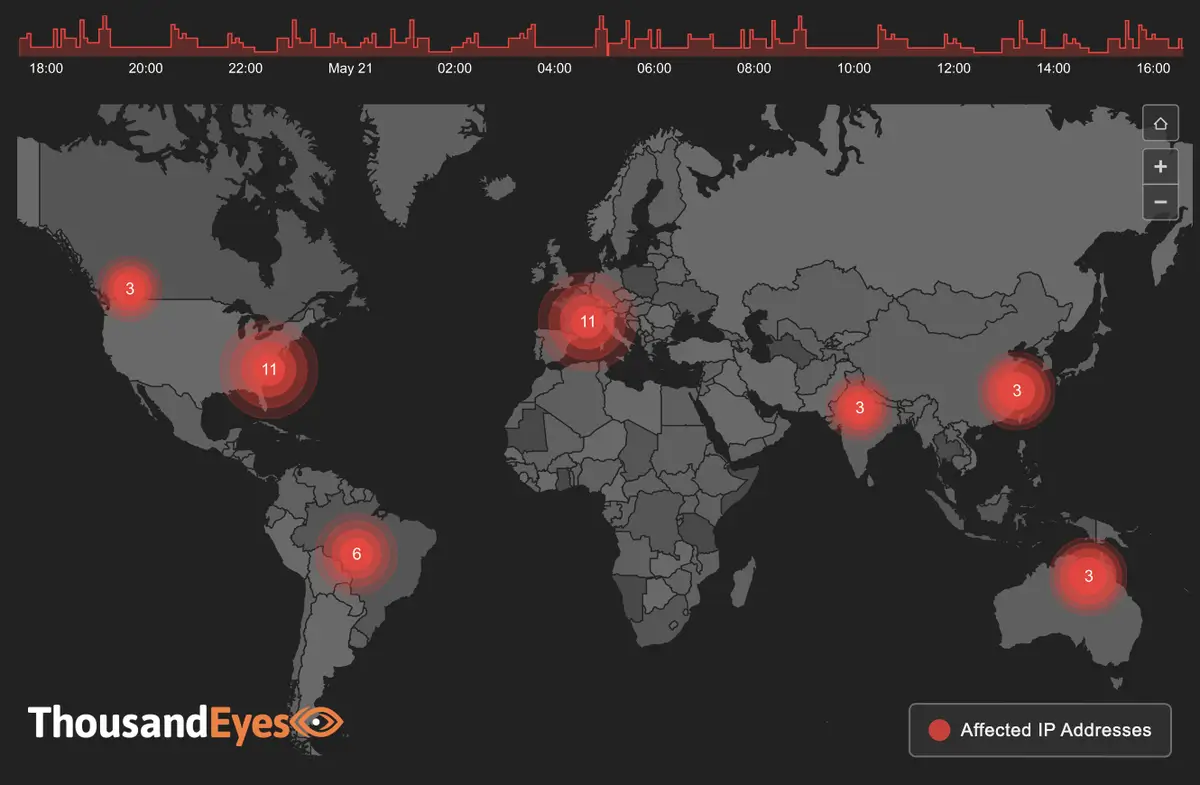
ThousandEyes, which tracks internet and cloud traffic, provides Network World with weekly updates on the performance of three categories of service provider: ISP, cloud provider, UCaaS. By Tim Greene Executive Editor, Network World | 27 OCTOBER 2022 5:00 SGT The reliability of services delivered by ISPs, cloud providers and conferencing services (a.k.a. unified communications-as-a-service (UCaaS)) is an indication of how well served businesses are via the internet. ThousandEyes is monitoring how these providers are handling the performance challenges they face. It will provide Network World a roundup of interesting events of the week in the delivery of these services, and Network World will provide a summary here. Stop back next week for another update, and see more details here. Get regularly scheduled insights by signing up for Network World newsletters Updated Oct. 24 Global outages across all three categories last week increased from 283 to 374, up 32% compared to the week prior. In the US, they increased from 72 to 94, up 31%. Globally, ISP outages jumped from 194 to 293, up 51% while in the US they increased from 55 to 72, up 31%. Globally cloud-provider network outages jumped from six to 10, and in the US increased from one to four. Globally collaboration-app network outages decreased from nine to seven, and in the US decreased from six to four. Two notable outages: On October 19, LinkedIn experienced a service disruption affecting its mobile and desktop user base. The disruption was first observed around 6:34 p.m. EDT, with users attempting to post to LinkedIn receiving error messages. The total disruption lasted around an hour and a half during which no network issues were observed connecting to LinkedIn web servers indicating the issue was application related. The service was restored around 7 p.m. EDT. On October 22, Level 3 Communications experienced an outage affecting downstream partners and customers in the US, Canada, the Netherlands, and Spain. The outage lasted a total of 18 minutes divided into two occurrences distributed over a 30-minute period. The first occurrence was observed around 12:35 a.m. EDT and appeared centered on Level 3 nodes in Chicago, Ilinois. Five minutes later, nodes in St. Louis, Missouri, also exhibited outage conditions. Ten minutes after the outage appearing to clear, the St. Louis nodes began exhibiting outage conditions again. The outage was cleared around 1:05 a.m. EDT. Click here for an interactive view. Updated Oct. 17 Global outages across all three categories last week decreased from 328 to 283, a 14% decrease compared to the week prior. In the US, outages dropped from 101 to 72, down 29%. Global ISP outages decreased from 239 to 194, down19%, and in the US decrease from 76 to 55, down 28%. Global cloud-provider network outages dropped from 12 to six, while in the US they dropped from six to one. Global collaboration-app network outages decreased from 10 to nine, and from seven to six in the US. Two notable outages: On October 10, Microsoft experienced an outage affecting downstream partners and access to services running on Microsoft environments. The outage, which lasted 19 minutes, was first observed around 3:50 p.m. EDT and appeared centered on Microsoft nodes in Des Moines, Iowa. Ten minutes after that, nodes in Los Angeles, California exhibited outage conditions and appeared to clear five minutes later. The Des Moines outage was cleared around 4:10 p.m. EDT. Click here for an interactive view. On October 12, Continental Broadband Pennsylvania experienced an outage affecting some customers and partners across the US. The outage lasted around 49 minutes in total, divided into four occurrences distributed over a period of an hour and 45 minutes. The first occurrence was observed around 11:10 p.m. EDT, lasted 23 minutes, and appeared to focus on Continental nodes in Columbus, Ohio. The first occurrence appeared to clear around 11:35 p.m. EDT. Five minutes later, Cleveland, Ohio, nodes exhibited outage conditions before clearing after four minutes. Fifteen minutes after that, the Columbus nodes once again exhibited outage conditions. The outage was cleared around 12:55 a.m. EDT. Click here for an interactive view. Updated Oct. 10 Global outages across all three categories last week increased from 301 to 328, up 9% compared to the week prior. In the US they decreased from 107 to 101, down 6%. Globally ISP outages increased from 233 to 239, up 3%, and in the US they decreased from 78 to 76, down 3%. Globally cloud-provider network outages doubled from six to 12, while in the US they remained the same at six. Globally and in the US, collaboration app network outages remained the same with 10 outages globally and seven in the US. Two notable outages: On October 4, Deft experienced an outage affecting some of its customers and downstream partners across the US, Brazil, Germany, Japan, Canada, India, Australia, the UK, France, and Singapore. The outage lasted around an hour and six minutes in total, divided among four occurrences over a period of an hour and 30 minutes. The first occurrence was observed around 5:25 a.m. EDT and appeared to center on Deft nodes in Chicago, Ilinois. It lasted 14 minutes and appeared to clear around 5:40 a.m. EDT. Five minutes later, a second occurrence lasting 19 minutes was observed with Chicago nodes exhibiting outage conditions. The third occurrence lasting 24 minutes was observed around 6:10 a.m. EDT, again centered on Chicago nodes. Ten minutes later they appeared to clear, but began exhibiting outage conditions again. The outage was cleared around 6:55 a.m. EDT. Click here for an interactive view. On October 5, TATA Communications America experienced an outage affecting downstream partners and customers in the US, the UK, France, Turkey, the Netherlands, Portugal, India, and Israel. The outage, lasting 9 minutes in total, was first observed around 9:25 a.m. EDT and appeared initially to center on TATA nodes in Newark, New Jersey, and London, England. Five minutes into the outage, the Newark and London node outages were joined by nodes in Marseille, France. The outage was cleared around 9:35 a.m. EDT. Click here for an interactive view. Updated Oct. 3 Global outages
IoT security strategy from those who use connected devices
Reducing threats from enterprise IoT devices requires monitoring tools, software vulnerability testing, and network security measures including network segmentation. Freeman Health System has around 8,000 connected medical devices in its 30 facilities in Missouri, Oklahoma, and Kansas. Many of these devices have the potential to turn deadly at any moment. “That’s the doomsday scenario that everyone is afraid of,” says Skip Rollins, the hospital chain’s CIO and CISO. Rollins would love to be able to scan the devices for vulnerabilities and install security software on them to ensure that they aren’t being hacked. But he can’t. “The vendors in this space are very uncooperative,” he says. “They all have proprietary operating systems and proprietary tools. We can’t scan these devices. We can’t put security software on these devices. We can’t see anything they’re doing. And the vendors intentionally deliver them that way.” The vendors claim that their systems are unhackable, he says. “And we say, ‘Let’s put that in the contract.’ And they won’t.” That’s probably because the devices could be rife with vulnerabilities. According to a report released earlier this year by healthcare cybersecurity firm Cynerio, 53% of medical devices have at least one critical vulnerability. For example, devices often come with default passwords and settings that attackers can easily find online, or are running old, unsupported versions of Windows. And attackers aren’t sleeping. According to Ponemon research released last fall, attacks on IoT or medical devices accounted for 21% of all healthcare breaches – the same percentage as phishing attacks. Like other health care providers, Freeman Health Systems is trying to get device vendors to take security more seriously, but, so far, it hasn’t been successful. “Our vendors won’t work with us to solve the problem,” Rollins says. “It’s their proprietary business model.” As a result, there are devices sitting in areas accessible to the public, some with accessible USB ports, connected to networks, and with no way to directly address the security issues. With budgets tight, hospitals can’t threaten vendors that they’ll get rid of their old devices and replace them with new ones, even if there are newer, more secure alternatives available. So, instead, Freeman Health uses network-based mitigation strategies and other workarounds to help reduce the risks. “We monitor the traffic going in and out,” says Rollins, using a traffic-monitoring tool from Ordr. Communications with suspicious locations can be blocked by firewalls, and lateral movement to other hospital systems is limited by network segmentation. “But that doesn’t mean that the device couldn’t be compromised as it’s taking care of the patient,” he says. To complicate matters further, blocking these devices from communicating with, say, other countries, can keep critical updates from being installed. “It’s not unusual at all for devices to be reaching out to China, South Korea, or even Russia because components are made in all those areas of the world,” he says. Rollins says that he’s not aware of attempts to physically harm people by hacking their medical devices in real life. “At least today, most hackers are looking for a payday, not to hurt people,” he says. But a nation-state attack similar to the SolarWinds cyberattack that targets medical devices instead, has the potential to do untold amounts of damage. “Most medical devices are connected back to a central device, in a hub-and-spoke kind of network,” he says. “If they compromised those networks, it would compromise the tools that we use to take care of our patients. That’s a real threat.” IoT visibility struggle The first challenge of IoT security is identifying what devices are present in the enterprise environment. But devices are often installed by individual business units or employees, and they fall under the purview of operations, buildings and maintenance, and other departments. Many companies don’t have a single entity responsible for securing IoT devices. Appointing someone is the first step to getting the problem under control, says Doug Clifton, who leads OT and IT efforts for the Americas at Ernst & Young. The second step is to actually find the devices. According to Forrester analyst Paddy Harrington, several vendors offer network scans to help companies do that. Gear from Checkpoint, Palo Alto, and others can continuously run passive scans, and when new devices are detected, automatically apply security policies to them. “It won’t solve everything,” he says, “But it’s a step in the right direction.” Still, some devices don’t fall neatly into known categories and are hard to direct. “There’s an 80-20 rule,” says Clifton. “Eighty percent of devices can be collected by technology. For the other 20%, there needs to be some investigative work.” Companies that don’t yet have an IoT scanning tool should start out by talking to the security vendors they’re already working with, Harrington says. “See if they have an offering. It may not be best of breed, but it will help span the gap, and you won’t have to have a ton of new infrastructure.” Enterprises typically use spreadsheets to keep track of IoT devices, says May Wang, Palo Alto’s CTO for IOT security. Each area of the business might have its own list. “When we go to a hospital, we get a spreadsheet from the IT department, the facilities department, and the biomed devices department – and all three spreadsheets are different and show different devices,” she says. And when Palo Alto runs a scan of the environments, these lists typically fall short – sometimes by more than an order of magnitude. Many are older devices, Wang says, installed in the days before IoT devices were recognized as security threats. “Traditional network security doesn’t see these devices,” she says. “And traditional approaches to protecting these devices don’t work.” But companies can’t apply endpoint security or vulnerability-management policies to devices until they are all identified. Palo Alto now includes machine-learning-powered IoT device detection integrated in its next-generation firewall. “We can tell you what kind of devices you have, what kind of hardware, software, operating systems, what protocols you’re using,” Wang says. The Palo

Dell launches mini HCI system for Azure Stack
Now you can start very small with a single 1U server and expand. Dell Technologies has aggressively promoted Azure Stack, Microsoft’s software package that allows enterprises to run a complete copy of the Azure cloud service within their own data center. Now it has introduced a hyperconverged infrastructure (HCI) system designed to support Azure Stack: a 1U server that allows organizations to start small with their deployment and grow. Formally known as Dell Integrated System for Microsoft Azure Stack HCI, the single-node system is designed for customers with smaller data-center footprints, but is expandable to support AI/ML workloads. Up to now, Azure Stack HCI nodes were sold at least in pairs, and Dell priced the hardware based on the number of nodes and the components within it. “So if you’re buying half the nodes, that would be half the price,” said Shannon Champion, vice president of product marketing for HCI products at Dell. Dell has integrated its Dell OpenManage software with Windows Admin Center and Azure Arc, Azure’s node-management and security system. Arc manages HCI nodes and enforces regulatory compliance, and Champion said many Azure Stack customers use it to keep resources on-prem. “The idea of Azure Stack HCI is that these are workloads that cannot run in public cloud,” she said. “And so you have a choice when you decide what workload can go to Azure. If it can’t go into the public cloud then it would stay on premises and go to Azure Stack HCI OS.” The new HCI system also comes with expanded GPU support. Customers have the option of getting Nvidia A30 or A2 GPU cards with their servers. Both are based on the Ampere architecture. Champion said that the A2 is suited for data visualization and for AI inferencing, while the A30 is a bigger, more powerful card more appropriate for high-end computing and AI training. Dell Integrated System for Microsoft Azure Stack HCI is available now either for outright purchase or via Dell’s Apex consumption service. https://www.networkworld.com/article/3676593/dell-launches-mini-hci-system-for-azure-stack.html

SolarWinds’ Observability offers visibility into hybrid cloud infrastructure
The popular IT management software firm is looking to keep its customer base together as companies migrate from on-premises infrastructure, with cloud and hybrid cloud versions of its new Observability product. Share on Facebook Share on Twitter Share on LinkedIn Share on Reddit Share by Email Print resource Jon GoldBy Jon Gold Senior Writer, Network World | 21 OCTOBER 2022 5:55 SGT SolarWinds, the maker of a well-known and widely used suite of IT management software products, announced this week that it’s expanding to the cloud, with the release of Observability, a cloud-native, SaaS-based IT management service that is also available for hybrid cloud environments. The basic idea of Observability is to provide a more holistic, integrated overview of an end-user company’s IT systems, using a single-pane-of-glass interface to track data from network, infrastructure, application and database sources. The system’s machine learning techniques are designed to bolster security via anomaly detection. SolarWinds said that the system will work with both AWS and Azure—a Google Cloud version is in the works and planned for next year—and a hybrid cloud version is also available for deployment in users’ data centers. As deployment of cloud and hybrid cloud applications gained momentum over the past few years, leading to increasing infrastructure complexity, the term “observability” gained currency, denoting the ability of a system to provide a high-level overview of IT infrastructure as well as granular metrics, to allow for efficient network and security management. “[W]e’re laying the foundation for autonomous operations through both monitoring and observability solutions,” said SolarWinds chief product officer Rohini Kasturi in a statement. “With our Hybrid Cloud Observability and SolarWinds Observability offerings, customers have ultimate flexibility to deploy on a private cloud, public cloud, or as a service.” It’s an important step forward for SolarWinds, according to Gartner VP analyst Gregg Siegfried, for multiple reasons. For one thing, he said, the company’s traditional products work in a siloed way—so server monitoring and network monitoring are completely different products, with different management consoles and so on. Integrating them into a more integrated overview, then, is crucial, despite the presence of SolarWinds’ Orion integration platform. “When you think about the visibility platforms of today, the idea is that you’re able to look at these things more holistically, so the most important thing is being able to do that,” he said. Another reason that Observability is likely to prove critically important to SolarWinds’ position in the market is that it marks a shift away from the company’s traditional focus on on-premises solutions. Siegfried said that SolarWinds has been losing market share to several companies as businesses increasingly move core IT operations out of the data center and into cloud environments. “Bottom line is that they’ve been bleeding share as people move into the cloud because the Orion [IT monitoring] product doesn’t support cloud-based workloads,” he said. “[Observability], in theory, provides a migration path to those who are still on Orion as they migrate to the cloud.” SolarWinds’ reputation in the marketplace is still recovering from the highly publicized cyberattack in 2020, in which hackers backed by the Russian government compromised US government systems at least partially via security flaws in SolarWinds’ products. “They still have a sizeable customer base, and certainly the damage to their reputation continues,” noted Siegfried. “But they’ve taken the right communications steps and made tangible changes to the way they do things, they’re certainly trying to right the ship, and these types of solutions are all important ways to broaden their appeal.” Observability has elastic pricing, based on the type of service purchased and the size of the environment to be managed—application observability is priced per app instance, log observability is priced per GB per month, and so on. The product is available now. https://www.networkworld.com/article/3677492/solarwinds-observability-offers-visibility-into-hybrid-cloud-infrastructure.html
wordpress developer
demo